 Arclab
The Coding Bootcamp Curriculum For The AI Era.
Your students will code alongside AI. Foundations has them predict, write and explain code first, and AI unlocks only after they've tried. You share one join code and see each student's lessons and tasks completed before the next session.
Create A Cohort. Share A Code. Teach With Data.
Create a cohort
Name it and get a six-character join code. We set up your organizer account with you.
Students join and start
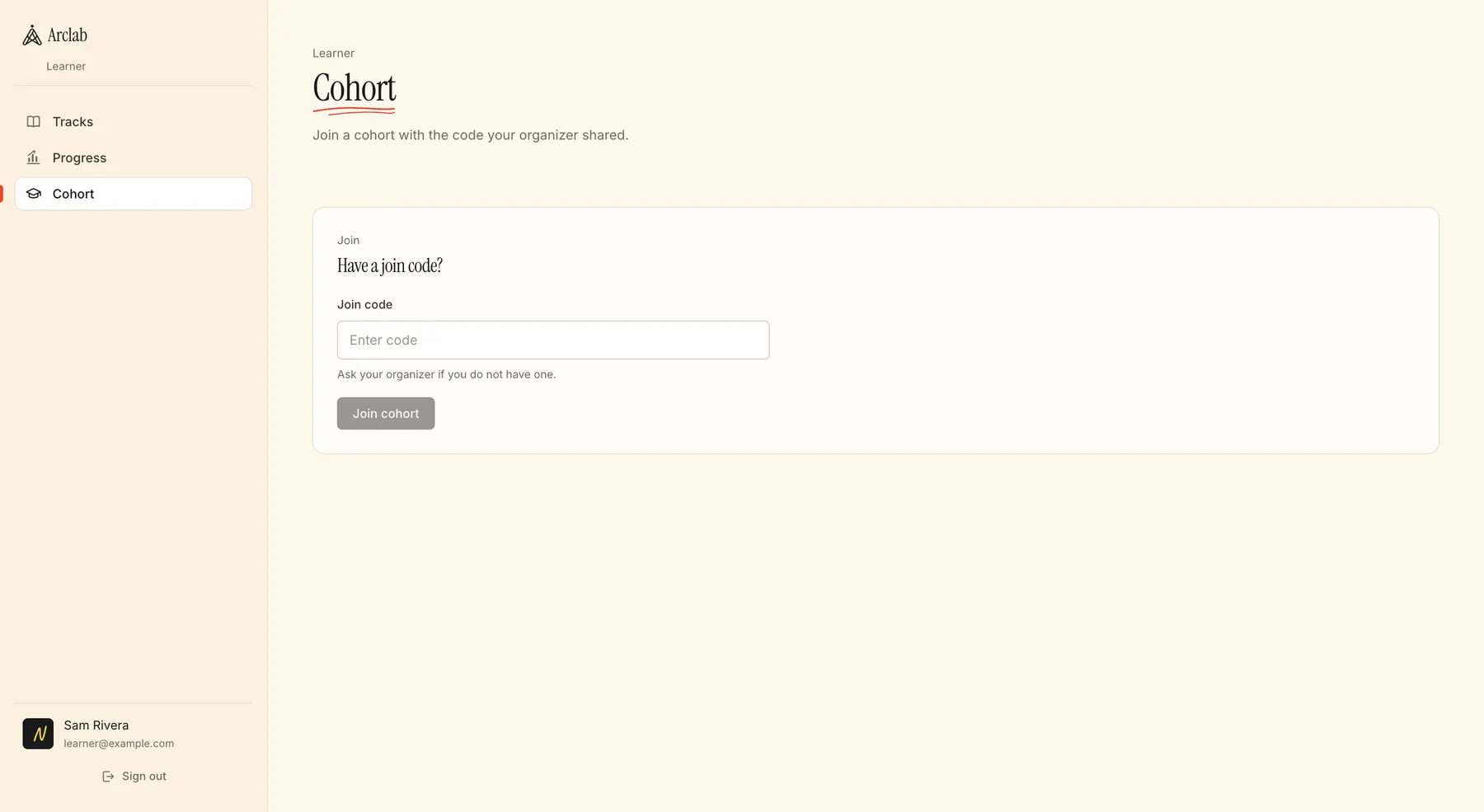
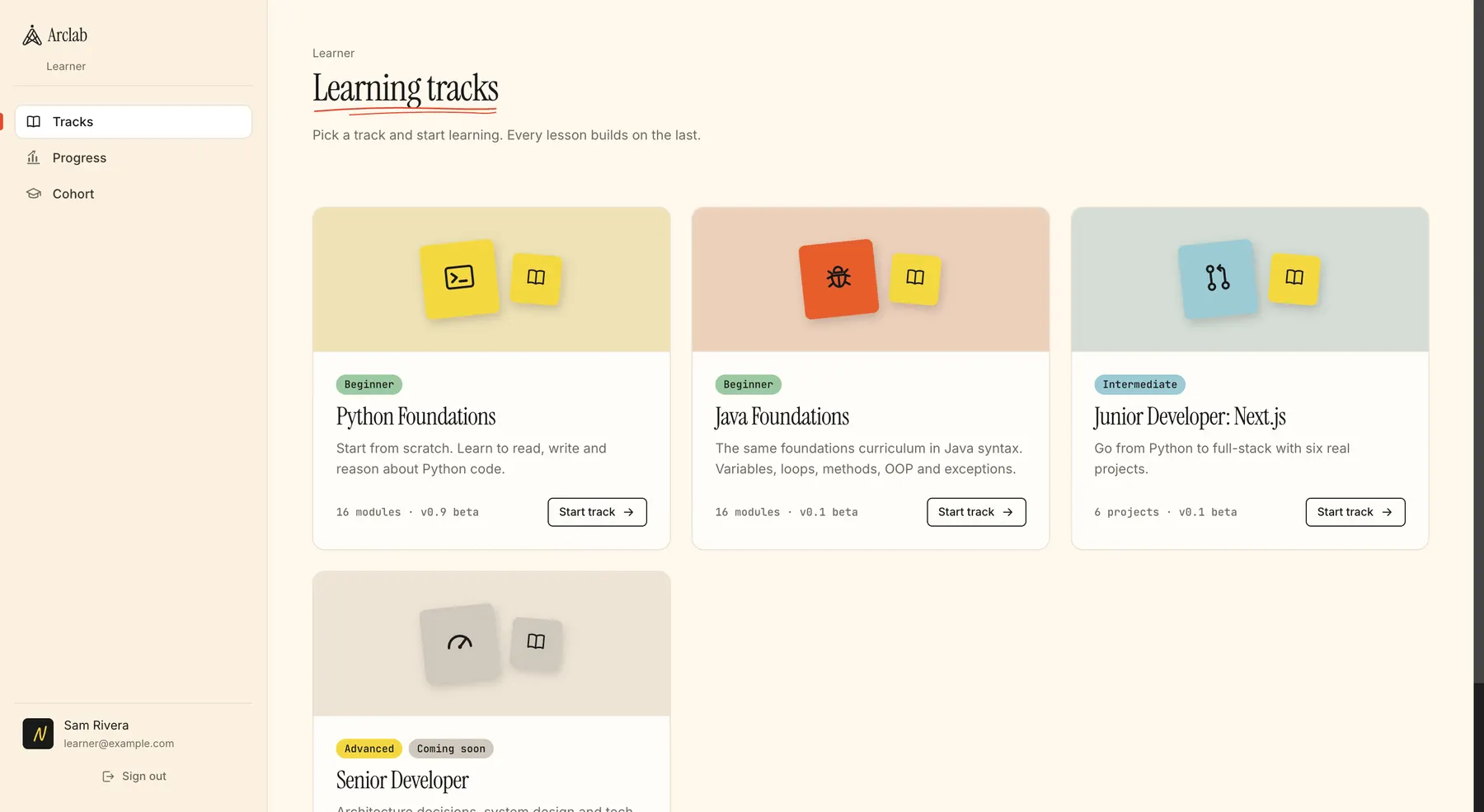
They sign in, enter the code under Cohort and pick a track. Nothing to install, any modern browser.
They learn, AI waits
Every lesson is predict, write, run, explain. AI help opens in stages and only after the earlier lessons are done.
Teach with the data
See each student's lessons and tasks completed. When a cohort finishes, move them into the Sim for a first week on a team.
The Workspace Your Students Get.
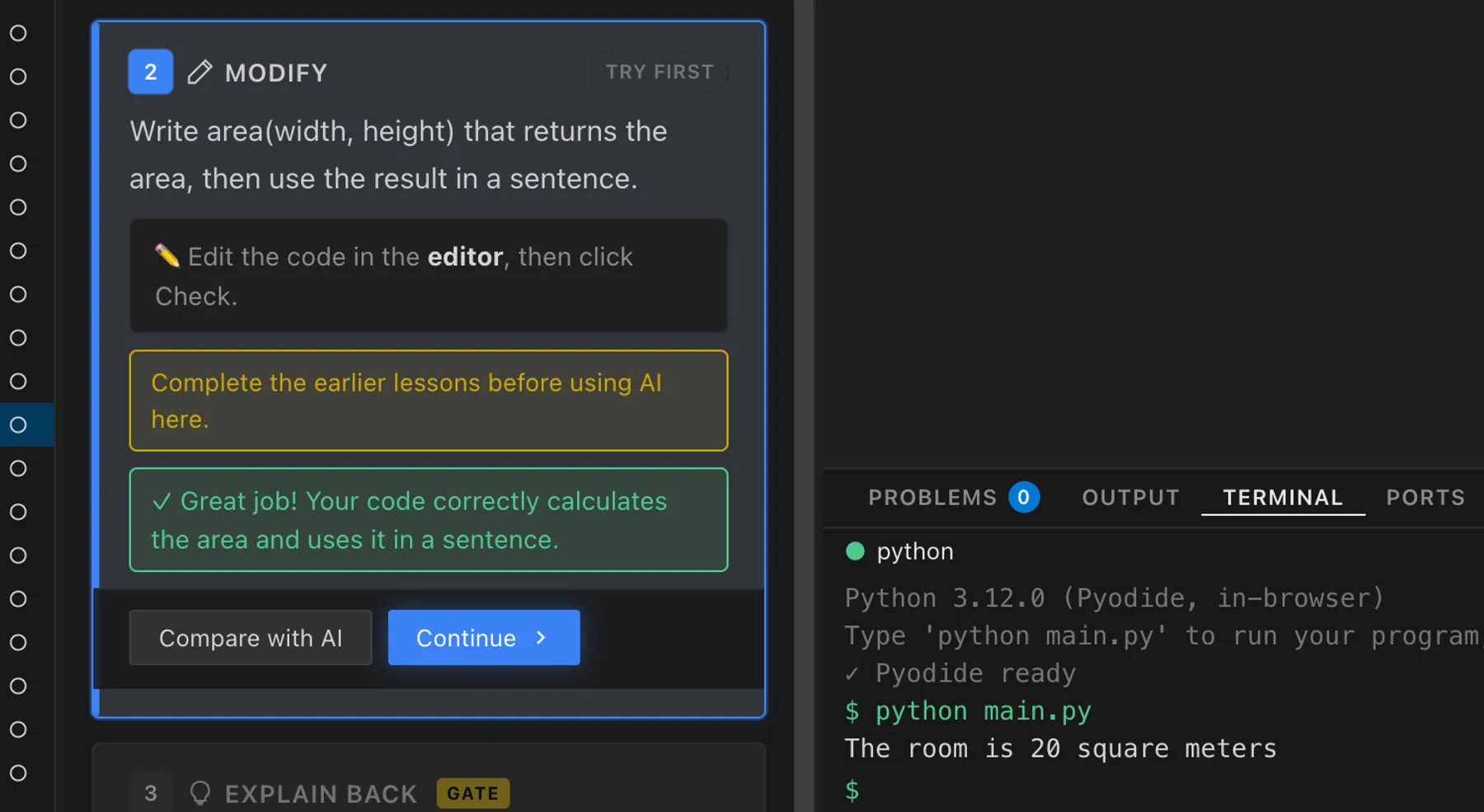
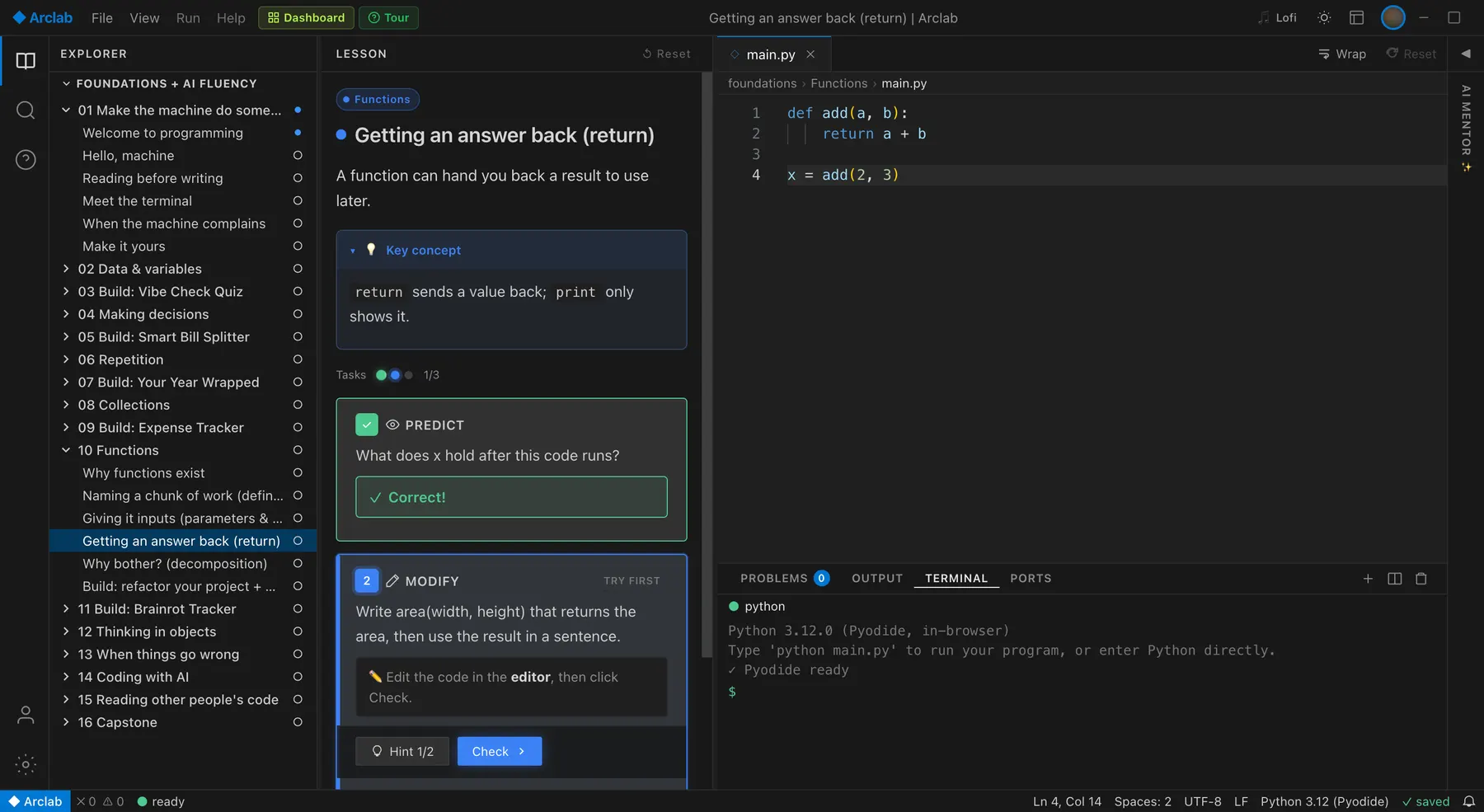
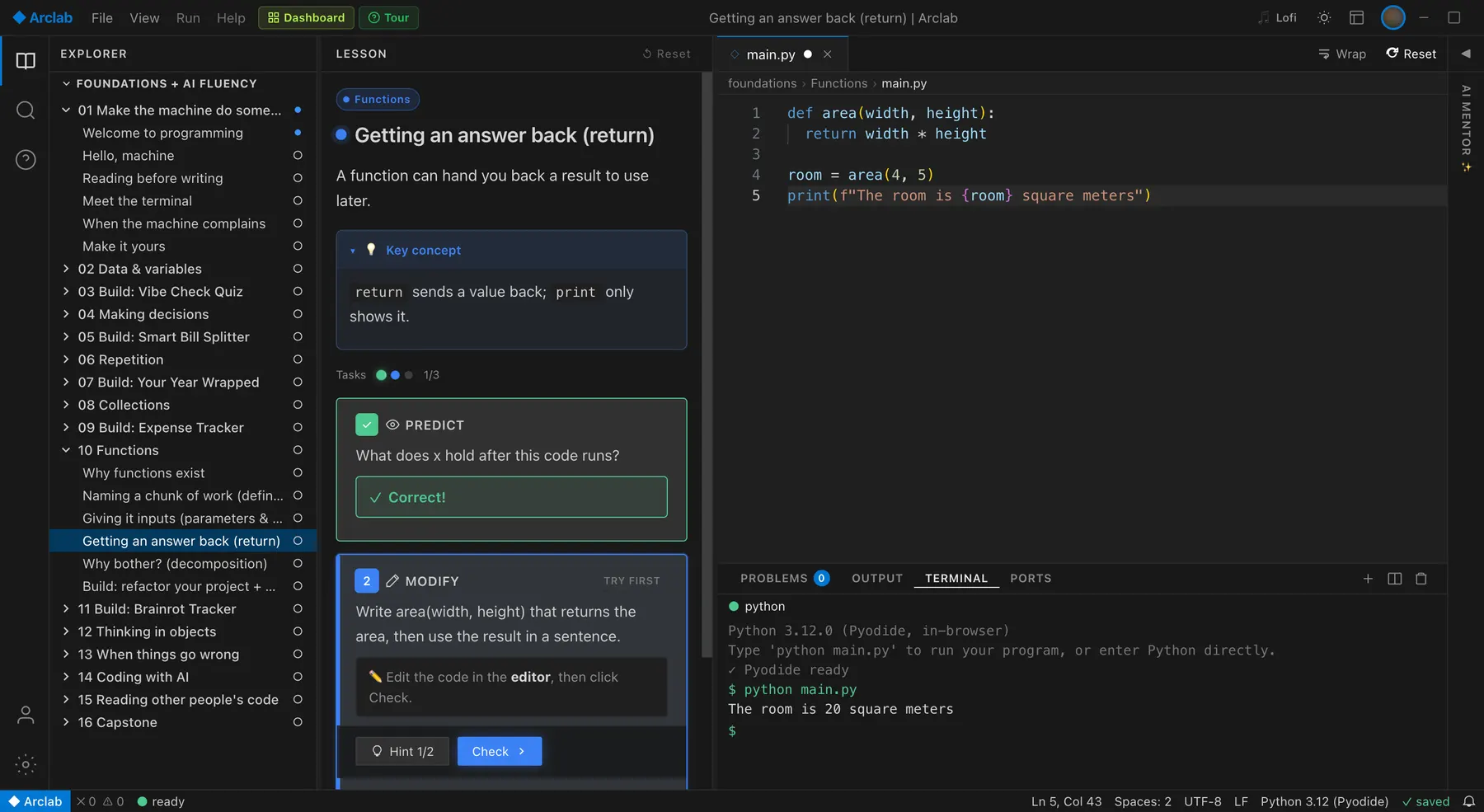
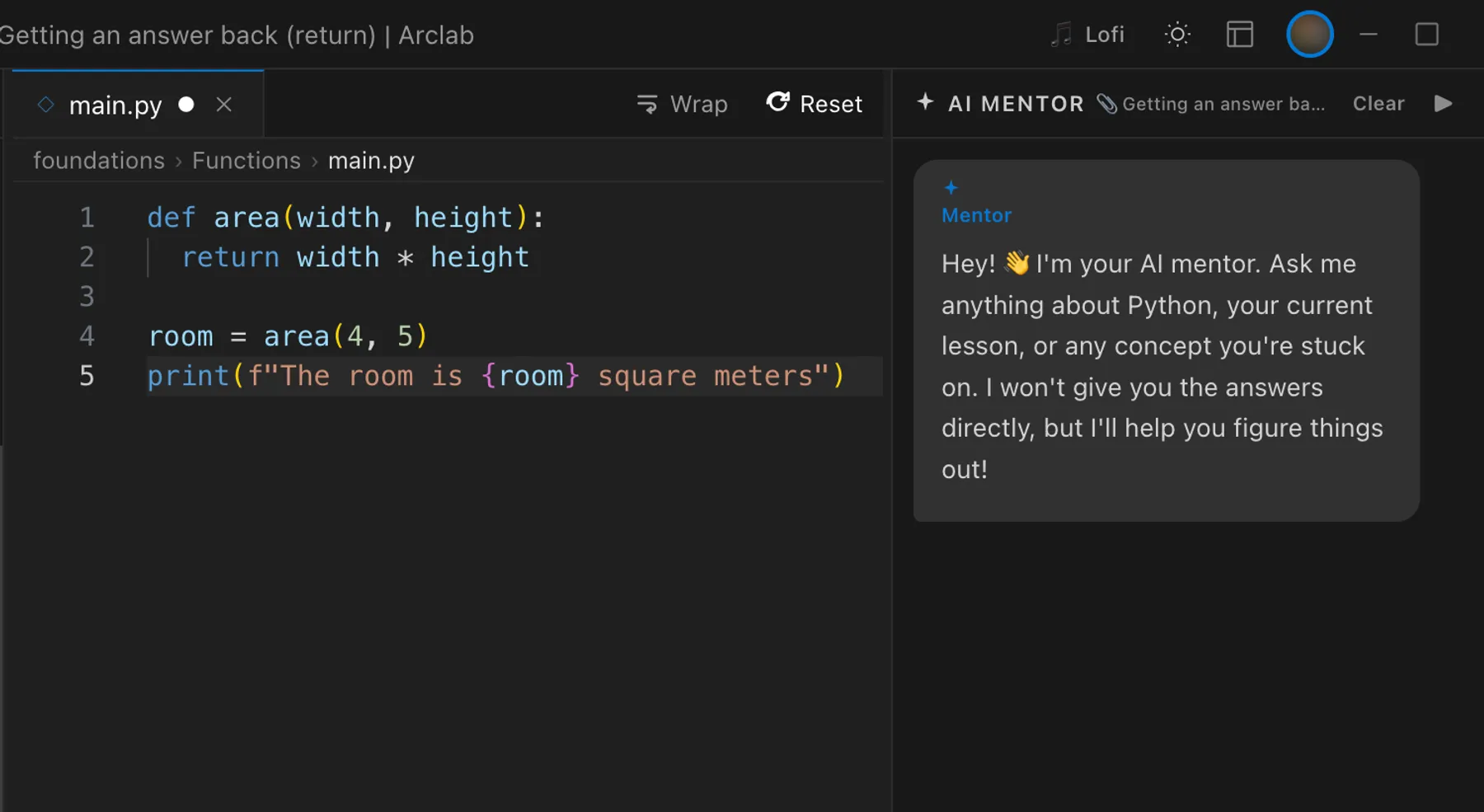
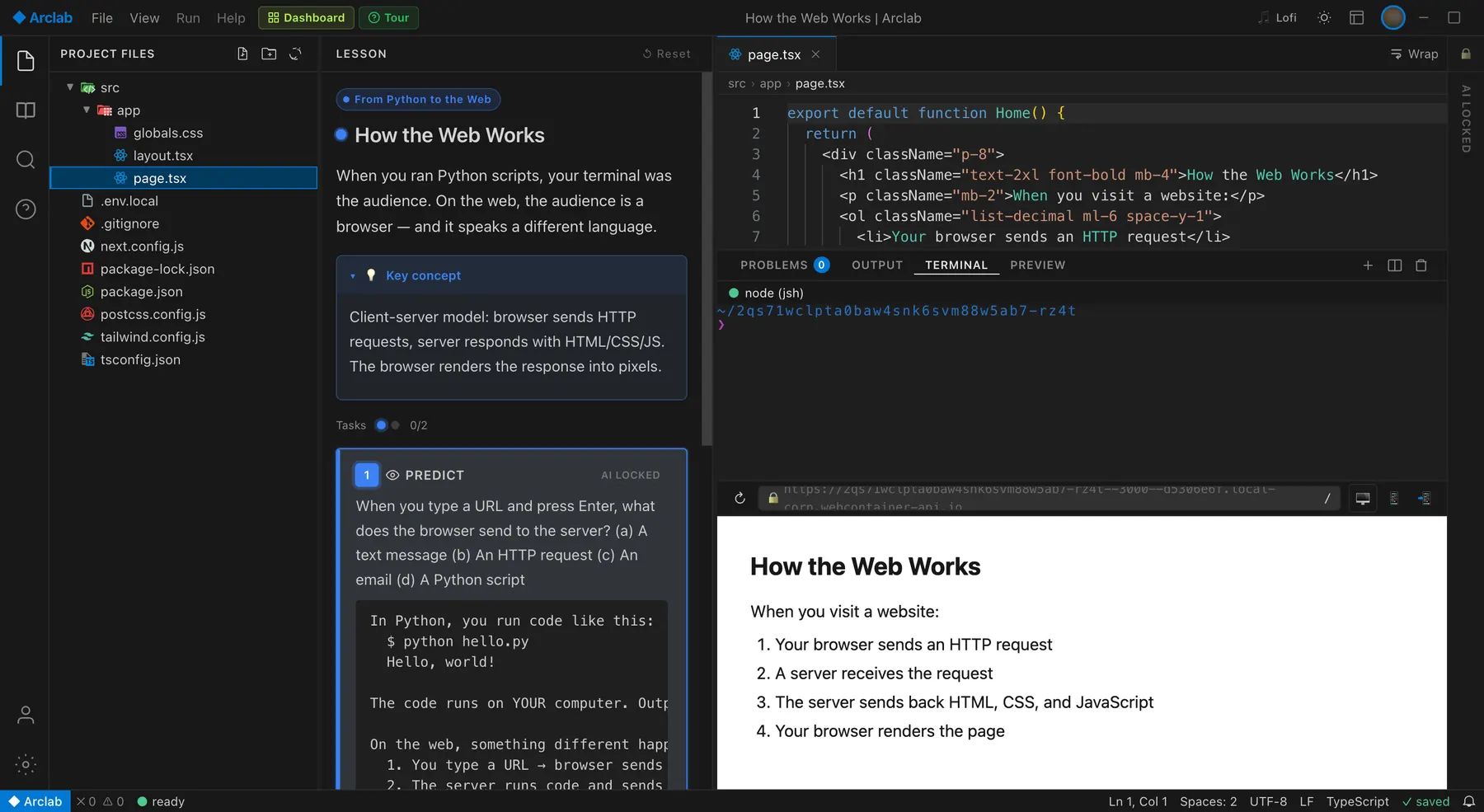
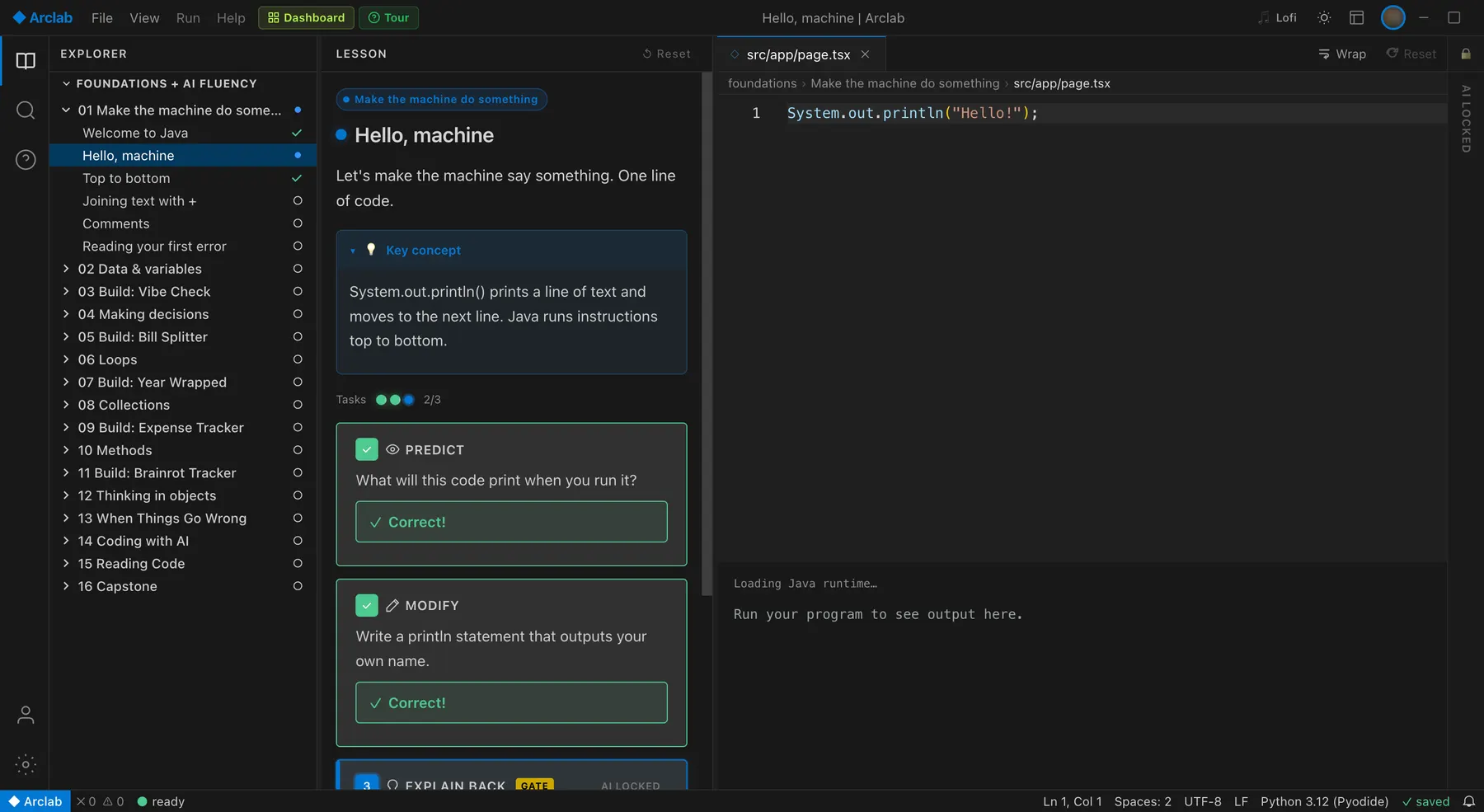
A dark editor that works like VS Code, the lesson beside it, a terminal underneath, and an AI mentor that waits its turn.
Tell Us About Your Next Cohort.
Tracks, size and start date. We'll have you set up before it begins.
Talk to us →Your Students Already Have AI.
Any student can paste a task into a chatbot and hand in working code. That doesn't tell you whether they understand it. Foundations is built around that: students predict and write first, explain back in their own words, and only then get AI, in stages you don't have to police.
def split(total, people):
return round(total / people, 2)- predict it first
- write it yourself
- explain it back
- find the bug
- then compare with AI
- review what AI wrote
An AI Policy You Don't Have To Police.
Every module carries an AI phase, and the server enforces it. In the Python track that means seven modules of no AI, then explain, then compare, then collaborate. Your students build the basics themselves before AI joins in.
- 1No AIPython modules 1 to 7
You write every line yourself. Hints are there when you're stuck, answers are not.
- 2AI explainsmodules 8 and 9
Ask the mentor what a concept or an error means. It explains; it won't write the code for you.
- 3AI comparesmodules 10 to 13
Once your code passes, open an AI version beside yours and work out what it did better, worse or wrong.
- 4AI collaboratesmodules 14 to 16
Build with AI the way the job works now, then read and review everything it wrote.
Java opens AI at module 14 and Next.js at module 8. Want a different schedule for your cohort? Tell us.
What You Get.
Have a join code?

 A7K2QX

[ Join cohort ]
Cohorts and join codes. One six-character code per cohort. Students enter it once and they're in.
student     lessons  tasks
Student A        12     41
Student B         9     30
Student C         2      5
Progress per student. Lessons and tasks completed for each student, so you know who to check on before the next session.
python   16 modules  215 tasks
java     16 modules  201 tasks
next.js  23 modules  190 tasks
Curriculum you don't write. Python, Java and Next.js: 215, 201 and 190 tasks, with five kinds of task in every lesson.
modules 1-7    no AI
modules 8-9    explains
modules 10-13  compares
modules 14-16  collaborates
Staged AI. AI unlocks by module and the server checks it. No honor system.
to: hello@arclab.app
re: our spring cohort

Could we add a module on pandas?
Custom modules. Need extra exercises, a different order or a module for your stack? Email us and we build it with you.
Mon 10:58
Maya: welcome to Seatly!
Maya: your first ticket is up
SEAT-12 party too big for table
A capstone after. Graduates can go straight into the Sim, a junior engineer's first week on a real codebase.
One Task, As A Student Sees It.
Predict the output before you run it.
nums = [3, 1, 2]
print(sorted(nums)[-1])
The Syllabus You Can Teach Tomorrow.
Three tracks, each a straight line from the first lesson to a capstone, with the AI phase of every module. Build modules are the projects students make along the way.
Python Foundations
- 01Make the machine do somethingno AI
- 02Data & variablesno AI
- 03Build: Vibe Check Quizno AI
- 04Making decisionsno AI
- 05Build: Smart Bill Splitterno AI
- 06Repetitionno AI
- 07Build: Your Year Wrappedno AI
- 08CollectionsAI explains
- 09Build: Expense TrackerAI explains
- 10FunctionsAI compares
- 11Build: Brainrot TrackerAI compares
- 12Thinking in objectsAI compares
- 13When things go wrongAI compares
- 14Coding with AIAI collaborates
- 15Reading other people's codeAI collaborates
- 16CapstoneAI collaborates
Java Foundations
- 01Make the machine do somethingno AI
- 02Data & variablesno AI
- 03Build: Vibe Checkno AI
- 04Making decisionsno AI
- 05Build: Bill Splitterno AI
- 06Loopsno AI
- 07Build: Year Wrappedno AI
- 08Collectionsno AI
- 09Build: Expense Trackerno AI
- 10Methodsno AI
- 11Build: Brainrot Trackerno AI
- 12Thinking in objectsno AI
- 13When things go wrongno AI
- 14Coding with AIAI collaborates
- 15Reading codeAI collaborates
- 16CapstoneAI collaborates
Junior Developer: Next.js
- 01From Python to the webno AI
- 02JavaScript fundamentalsno AI
- 03Your dev toolkitno AI
- 04HTML & JSXno AI
- 05Styling with Tailwindno AI
- 06Build: Profile Cardno AI
- 07TypeScript basicsno AI
- 08React components & propsAI explains
- 09State basicsAI explains
- 10Pages & routingAI explains
- 11Build: Personal PortfolioAI explains
- 12Advanced state patternsAI explains
- 13Build: Interactive QuizAI explains
- 14Async JavaScriptAI explains
- 15The server sideAI compares
- 16Connecting to SupabaseAI compares
- 17Build: Live DashboardAI compares
- 18Forms & full CRUDAI compares
- 19Build: Bookmark ManagerAI compares
- 20Authentication & protectionAI compares
- 21Build: Team PlannerAI compares
- 22Ship it & AI masteryAI collaborates
- 23Capstone: your app, your rulesAI collaborates
We Teach The Way The Research Says.
Fundamentals first, AI later.
Start conventionally, then bring AI in through deliberate steps; learners without the basics are confused by AI answers.
So the first seven Python modules are AI free, and the mentor unlocks in stages after that.
02Make the task one AI can't just finish.
ChatGPT-4 solved 100% of the simplest intro Python labs and 35% of the hardest.
So you trace, predict and explain code, not just submit an answer.
03Help after you try, not instead of trying.
With hint-first mentoring, 90% finished their projects versus 60% without (200 participants).
So task help opens only after you have made an attempt.
None of these studies tested Arclab. The notes list what each one found, what we built because of it, and what it does not prove.
Why Not Slides And A Chatbot?
| Feature | Arclab Foundations | Slides + a quiz tool | Students + a chatbot |
|---|---|---|---|
| Students run real code in the browser | - | ||
| Checks understanding, not just output | quizzes | - | |
| AI unlocks in stages, enforced on the server | - | - | |
| One join code puts students in your cohort | sometimes | - | |
| Lessons and tasks completed per student | quiz scores | - | |
| Python, Java and Next.js ready to teach | you write it | - | |
| Upfront cost | None | Varies | Seats |
The other columns describe common setups, not any one product.
Simple Terms.
Questions.
What does it cost?
No upfront cost; per active learner per month. Nonprofit and community programs are free.
What do students need?
A modern browser and a Google account. Nothing to install.
How do students join my cohort?
You share the cohort's six-character join code. Students sign in, open Cohort in their dashboard and enter it.
What can organizers see?
Each student's lessons completed and tasks completed, per cohort. Not the content of mentor conversations.
Can students just ask AI for the answers?
Not inside Foundations. AI is off for the first modules and opens in stages, checked on the server, and only after earlier lessons are done. Tasks also ask students to predict and explain, which a pasted answer doesn't cover.
Which tracks can we teach?
Python and Java for beginners, and Next.js for web cohorts who know some Python. Each runs in the browser.
Can we use our own curriculum?
Email us and we'll build it with you: extra exercises, a different order, or a module for your stack.
Which cohort sizes work best?
Six to a few hundred. The view is built for one instructor following a class of 20 to 40.